·Platform
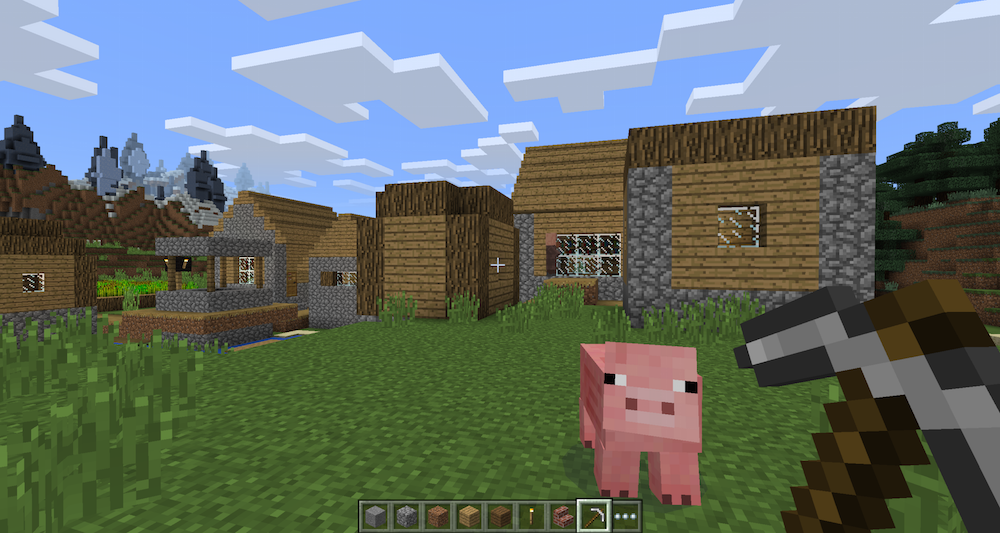
Dependency Minecraft: PC, android, mac, playstation, xbox, linux, basically everything. War Thunder: PC, Linux, Mac, PS4 Platform dependency is when a game only works on specific platforms due to differences in code. Minecraft's simplicity lets it be shipped to more platforms than War Thunder, but War Thunder is a better looking, more complex game due to it having higher detailed graphics and an advanced physics engine. Neither game is entirely platform dependent. I am picturing the games being on PC in this instance.
·Operating
Systems used Minecraft: Windows War Thunder: Windows The OS is the system that performs all of the operations the platform needs to run. The OS changes from platform to platform, with some small changes to the game. As the platform i'm assuming this instance is PC, the OS is windows.
·Drivers
Needed Minecraft: Dell driver updater, let it do the work for you War Thunder: Same as the above Drivers are what make certain things do what they are meant to and make them work better with the OS. These games probably use similar drivers, with War Thunder running better with Nvidia graphics drivers, although they are not necessary.
·Application
Software used (Programming) Application Software is the language used for the programming. An example of a software language is Java For example, minecraft was written in Java Java is a programming language and computing platform first released by Sun Microsystems in 1995. There are lots of applications and websites that will not work unless you have Java installed, and more are created every day. Minecraft: Java War Thunder: Unknown, tried searching, got nothing, might be secret. The Aplication Software is the language it was coded in. I can't seem to find what War Thunder's Application software is, and as such, can't compare it with Minecraft's java
·Graphical
API Minecraft: lightweight Java Game Library, LWJGL War Thunder: Direct x 11 The graphics API is responsible for running graphical based operations. Direct x 11 tends is more powerful/higher quality than java, although they are slightly more intensive on the system.
·Sound
API Minecraft: lightweight Java Game Library, LWJGL War Thunder: Direct x 11 The sound API is similar to the Graphical API exept it focuses on audio instead of graphics. Direct x 11 tends is more powerful/higher quality than java, although they are slightly more intensive on the system.
·TV The TV/Monitor is the part that shows you what is happening, and is very important as you can't play an action game via punch-card readout. Why do people think this matters? If its not a mobile device, just get a screen with a HTMI port that is a size/shape you like, heck you could play it on a projector if you felt like it. The only things that matter is that it connects to the device and your personal preference. For some reason known only to blogger, some parts of this post are of different sizes/fonts, I have tried to tidy it up but it doesn't save the changes.
Human Computer Interface A human computer interface is a fancy name for anything that lets you interact with the computer. HCI's can be anything from a mouse and keyboard, to the monitor, to a console controller, to the older joysticks and beyond. If it allows you to interact with the computer in any way, it's a HCI. HCI's originally started with punch-cards and, over time, evolved into keyboards, joysticks and controllers. New HCI's such as VR are starting to get more and more popular and seem to be the future.
Central Processing Unit
(CPU)
The Central Processing Unit handles most of the processing the computer does. The CPU sits in the middle of the motherboard and it's processing power varies based on the brand, model and how many cores it has (more cores = more processing at once). Due to all the processing it does, the CPU tends to generate a large amount of heat, as such it has a heat-sink attached directly to it to transfer away the heat. CPU's used to be huge room sized things until microprocessors were invented. The most common CPU is Intel as it comes with most PC computers.
CPU's usually have a protective cover with the brand name on it, this is what it looks like without the cover.
Graphic Processors
Graphic Processing Units work similarly to CPUs as they do lots of processing, but the major difference is GPUs have 100s of smaller cores specialized in solving geometry and other graphical processes. Most larger GPUs (like Nvidia's GTX 1080) also create lots of heat and come with an inbuilt fan for cooling. Nvidia brand graphic cards tend to be very popular due to their high power and reliability.
Memory (RAM)
Random Access Memory is temporary storage space. This storage is useful for temporary files needed for running a game, once the data is no longer needed, the RAM automatically deletes it. Nothing stays on RAM, this is helpful because if there was no RAM, the information would have to be stored on the hard-drive, which takes more time to store, and extra time to delete non-essential data. There is also a drop in performance if the hard-drive saves or deletes something, while it is barely noticeable with RAM.
Display
The Display is the part of the computer that shows the visuals of what is happening. They vary in size and resolution. The visuals are displayed on 1000s to 100,000s to 100,000,00s of pixels. These pixels typicaly have 3 colours, Red Green and Blue, these RGB pixels combine to create the full range of colour.
Sound The sound systems are any systems that handle audio input/output. This includes things like speakers, headphones and microphones. Most motherboards come with a built in sound-card to handle the processing of audio.
Game Storage Medium Game storage mediums come in a wide range of variety. These variety's include cartridges, memory cards, hard-drives and the cloud (from oldest to newest). Game data HAS to be stored somewhere, weather it is on your own system like hard-drives, or on a computer somewhere else like the cloud.
Interface Devices The interface is what you see and the software. You clicking on a file or shortcut on your desktop is you using the interface. Different brands of computer have their own interfaces, such as Windows, Mac, Linux, etc. A simple and easy to use interface tends to make for a more successful product.
Connectivity Connectivity refers to the ability to connect with other computers. This is done via the internet, which the computer connects to by either Wifi, Bluetooth or a Ethernet cable. All computers have a port for Ethernet cables and a wifi unit can be added to allow for wireless access to the internet.
Power Supply
The power supply is, as the name suggests, the part that supply's power to the computer. Power supplies come in multiple shapes and sizes, From batteries to power boxes that plug into the mains. This is arguably a more important part than the CPU as the CPU can't process without power. Power supplies also vary in different countries, such as the 3 pin in England and the 2 pin in the USA.
The computer was the first platform to have a game on it (space wars) and has always been making large innovations in the industry. Computers are capable of multi-tasking, not just playing games, but also doing work, browsing the internet, reading mail, etc.
Television
The invention of the television screens allowed video-games to become more visual and interactive. While around as early as the 1920s, their popularity started to massively increase after WWII
Arcade
The arcade is what brought gaming to the public's attention. The cabinets (like Pac-Man) were coin operated and placed in large numbers and variety's in arcades to draw in as many people as possible.
Console
The console is what brought gaming into the home. With large companies like Atari and Nintendo dominating the market in the early years. Consoles are popular due to their simple set up which comes from them being designed to only play games.
Mobile
Mobile gaming helped get gaming on the move, letting people take it wherever they please. Starting with portable consoles like the game-boy with it's Pokemon, mobile gaming eventually got onto mobile phones like clash of clans.